Interact
Redesign concept, 2025
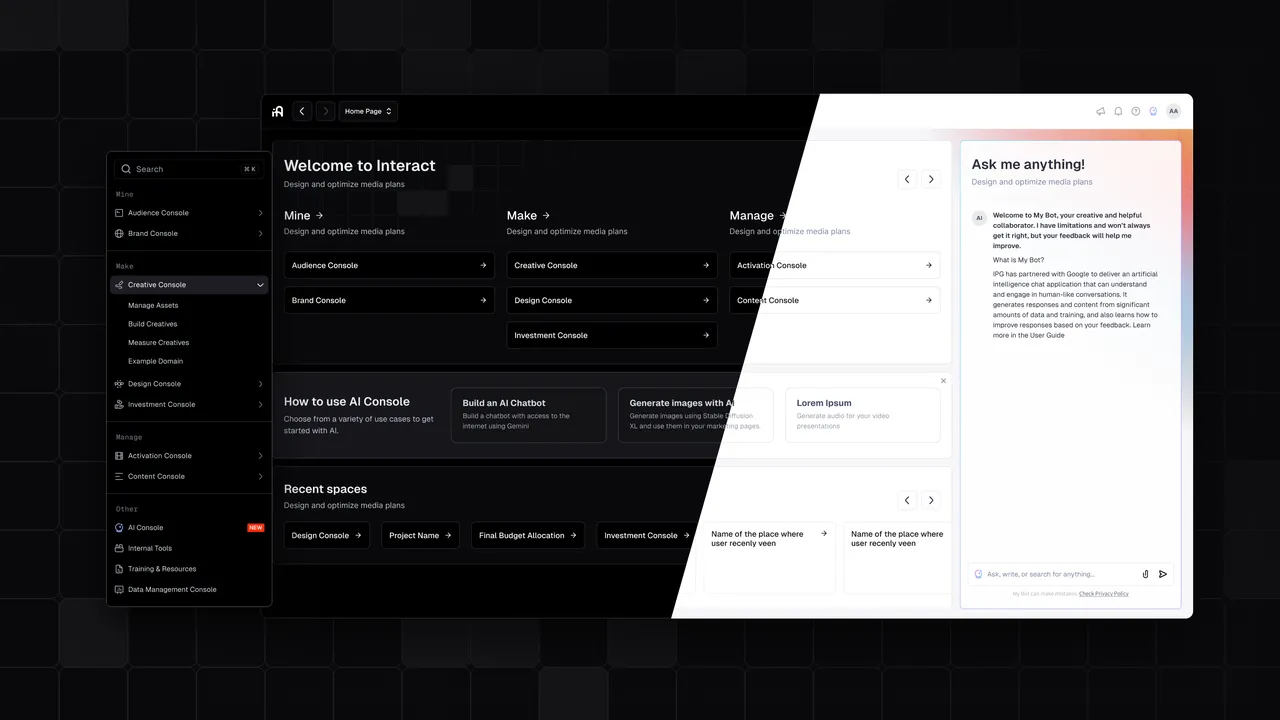
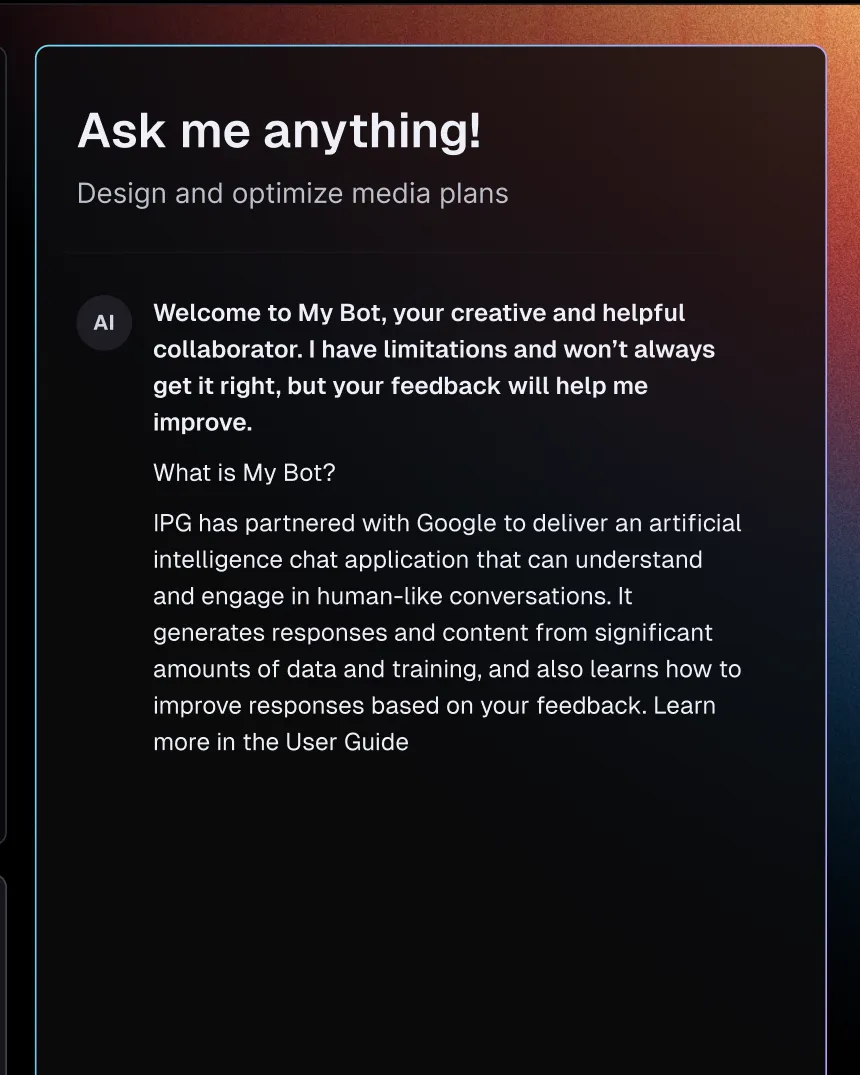
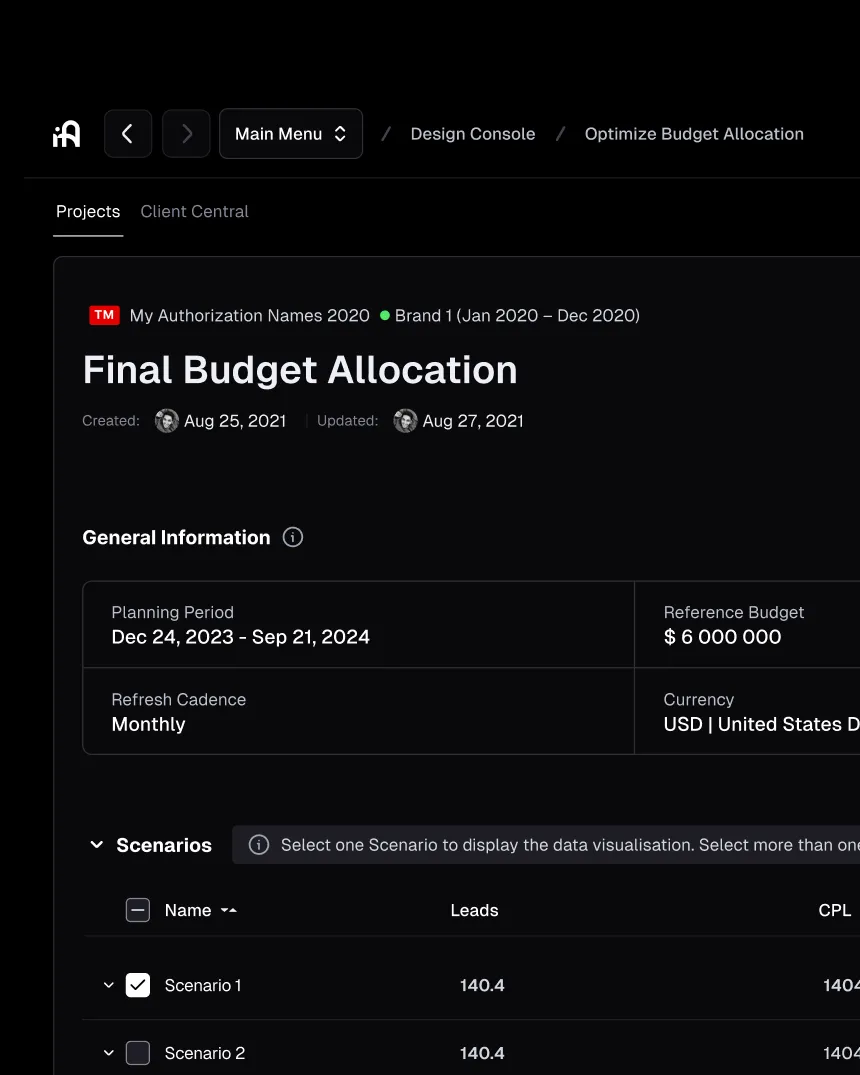
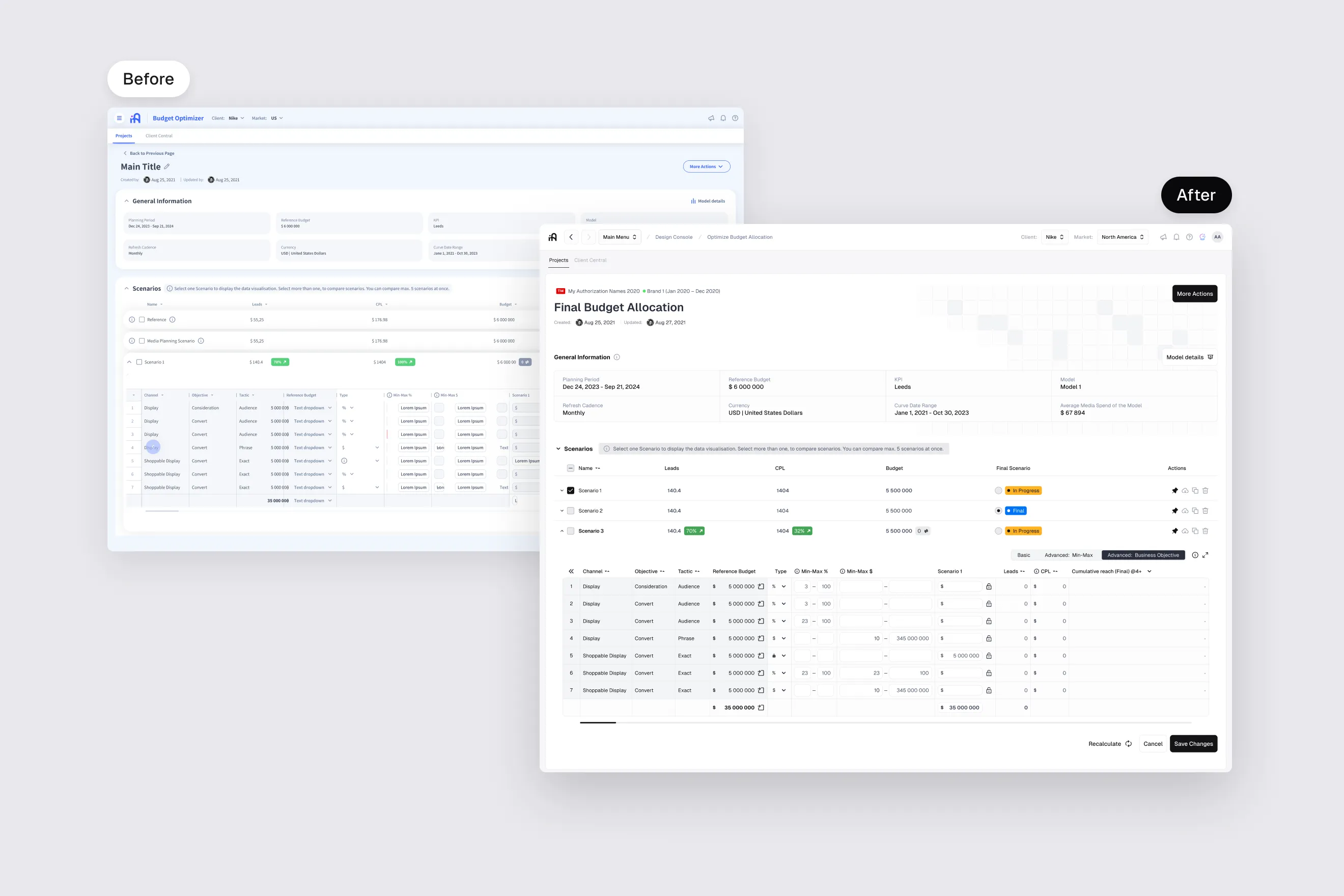
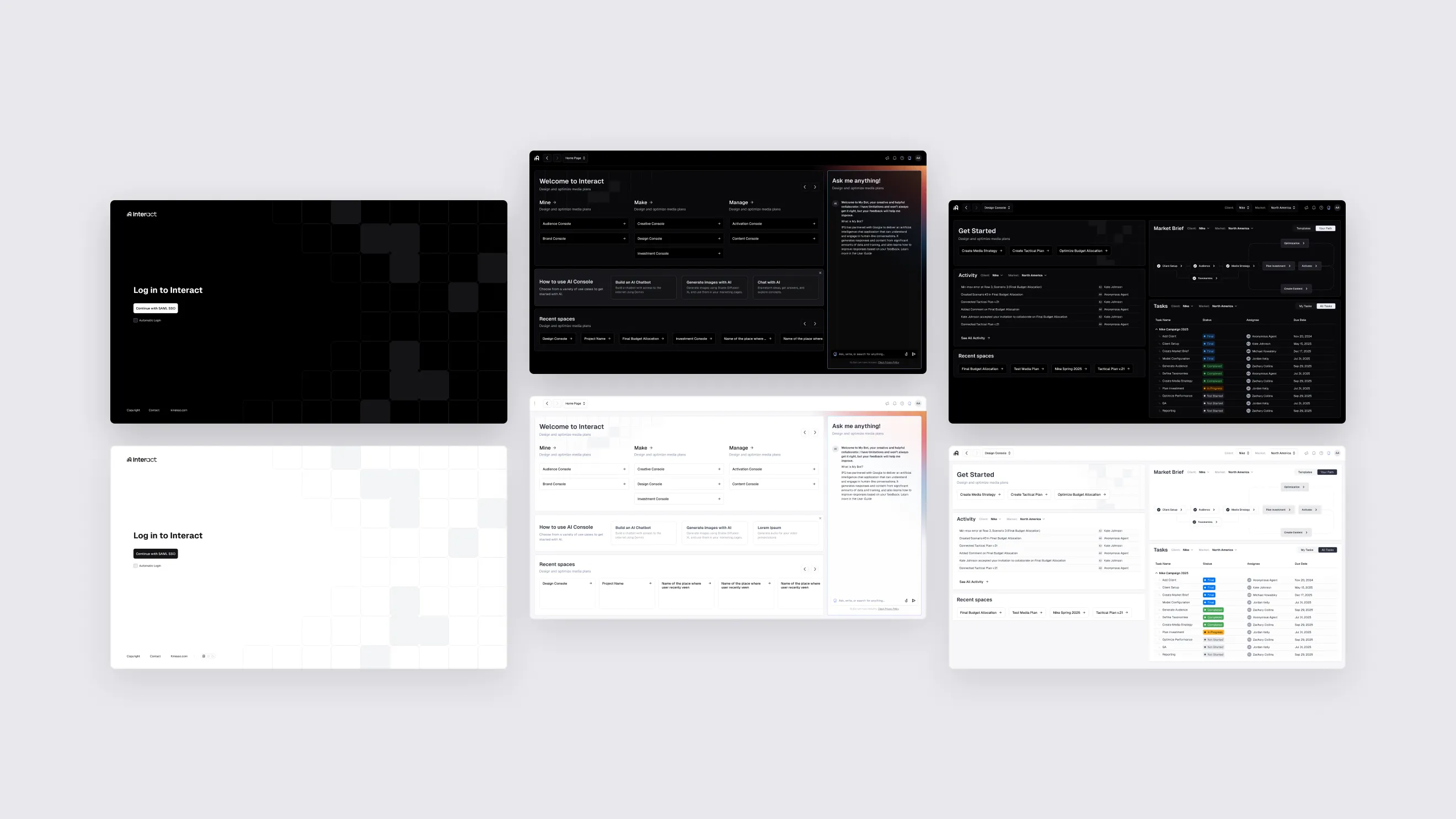
A redesign concept for Interact, IPG’s platform for designing and optimising media plans. I explored a new core — login, Home with an AI assistant, the Design Console and the Budget Optimizer — and the navigation that ties them together, in dark and light themes.
01 — Context
Media planning in one product
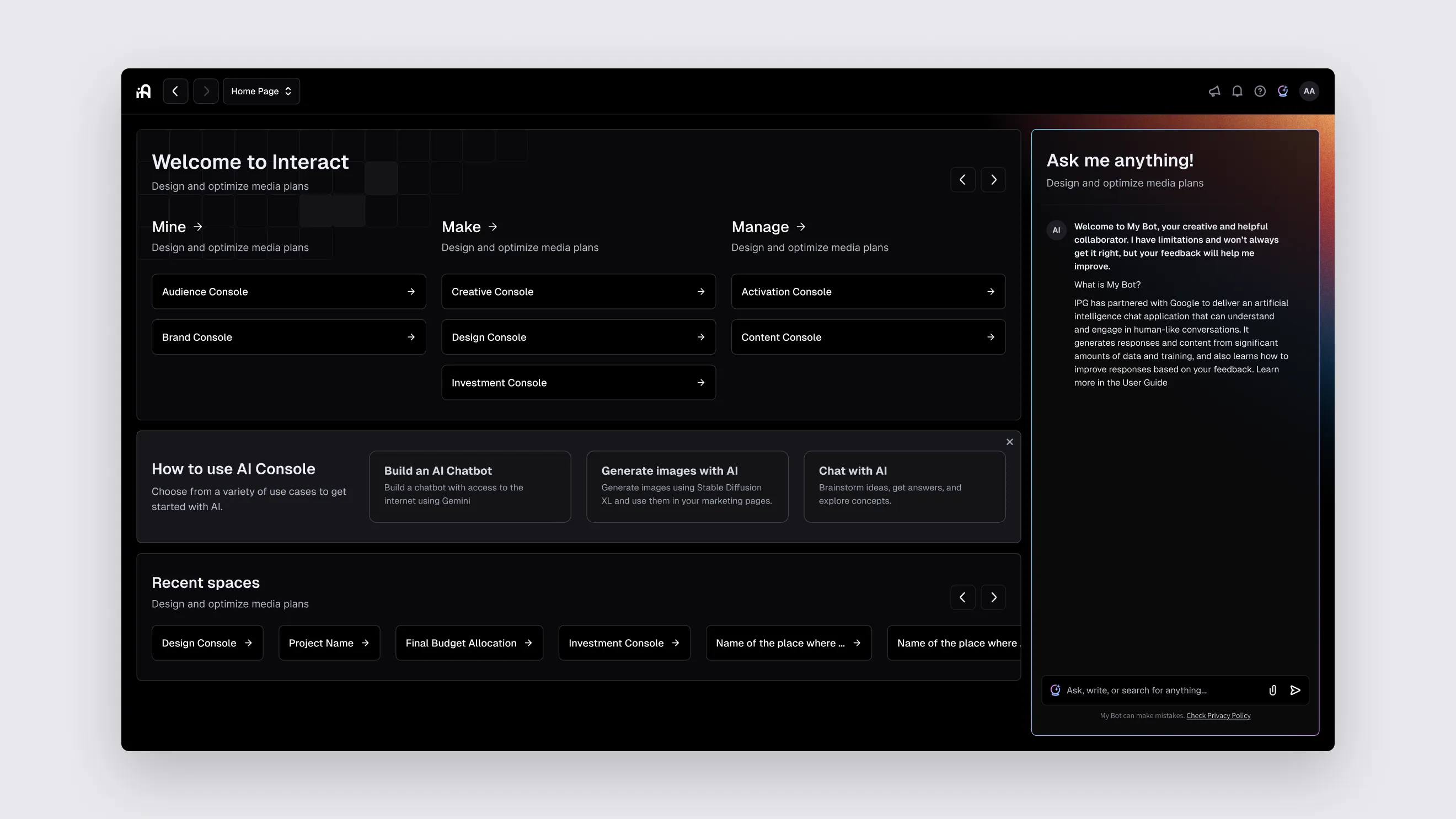
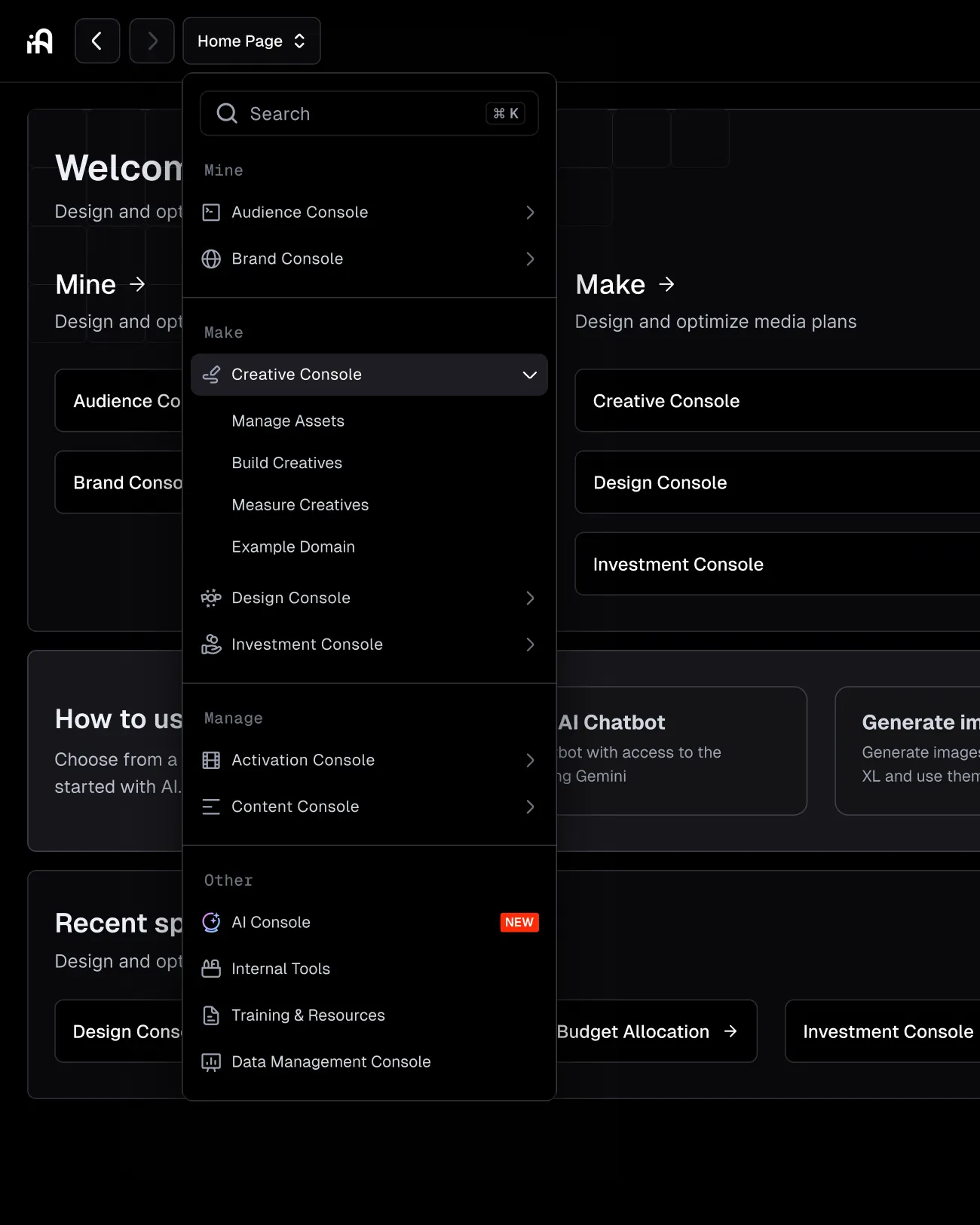
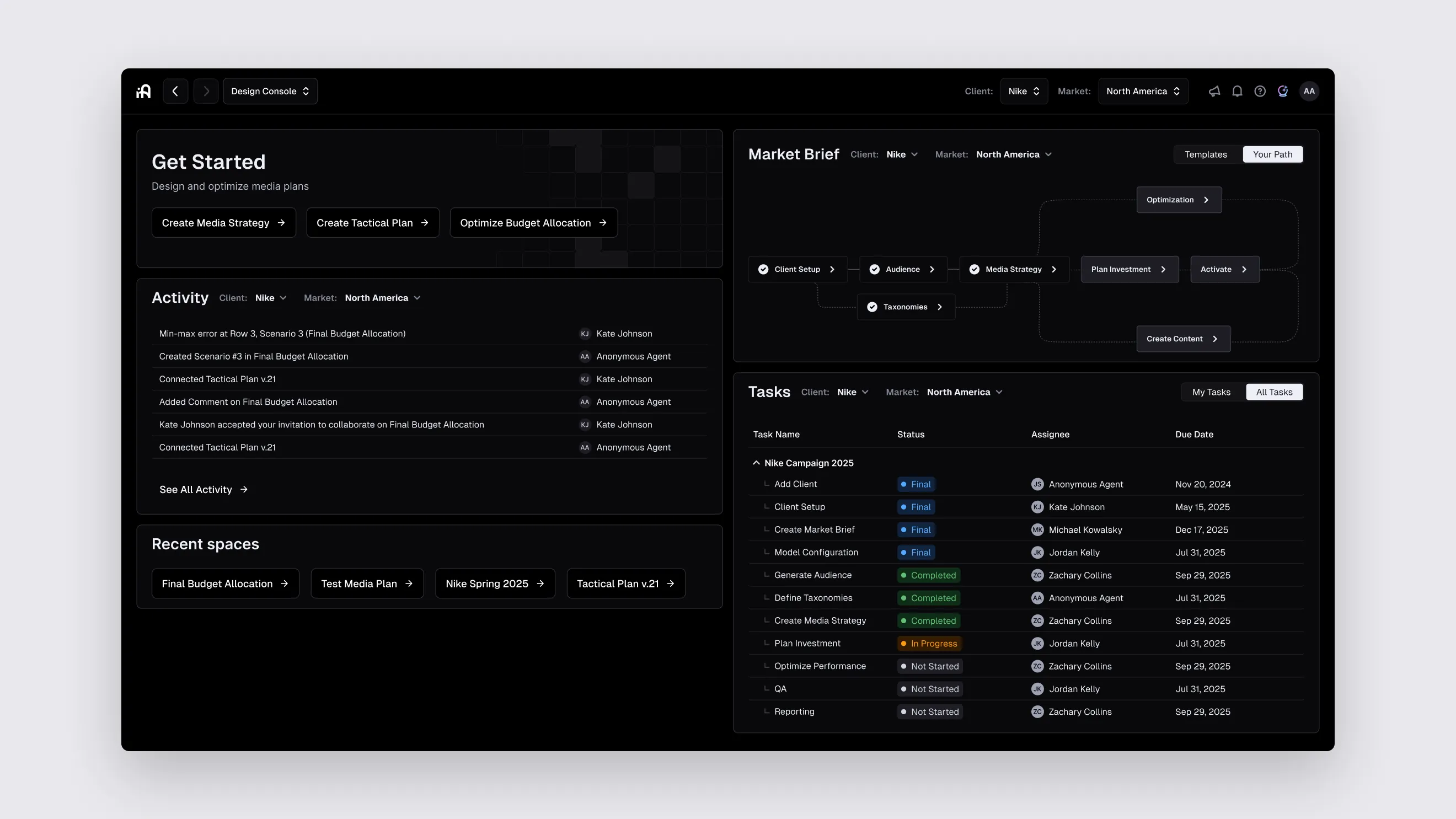
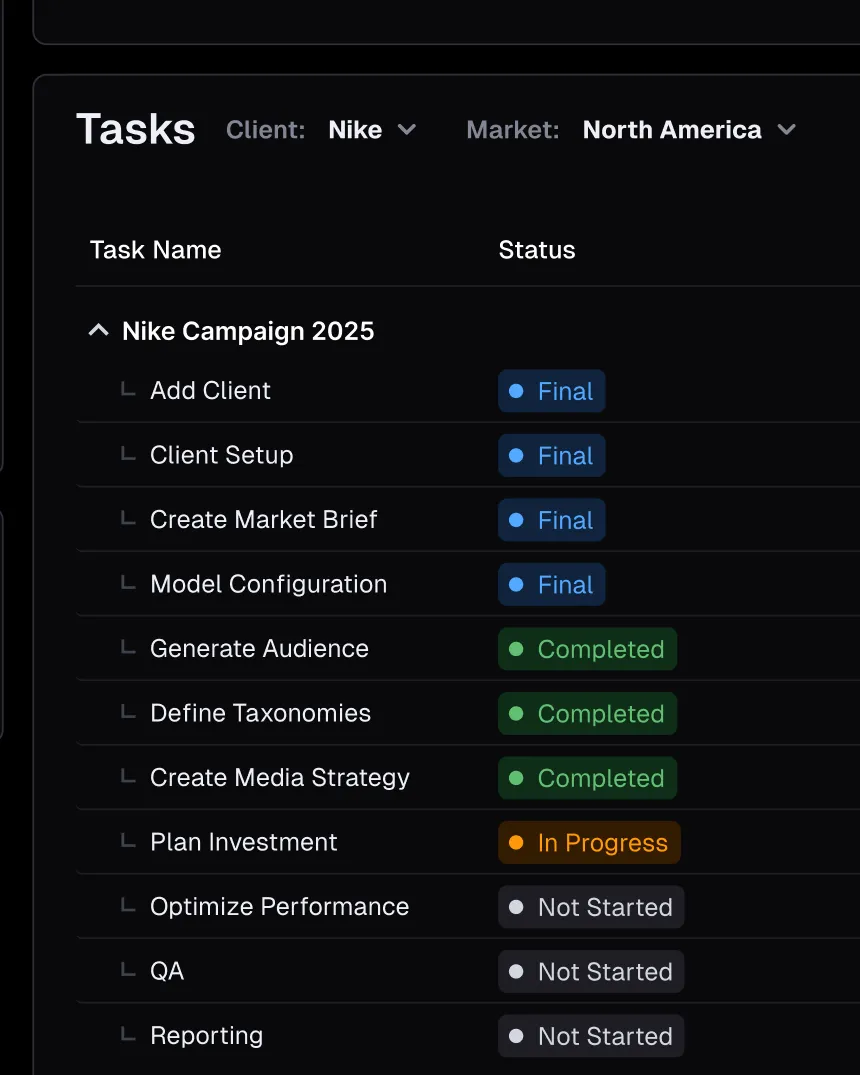
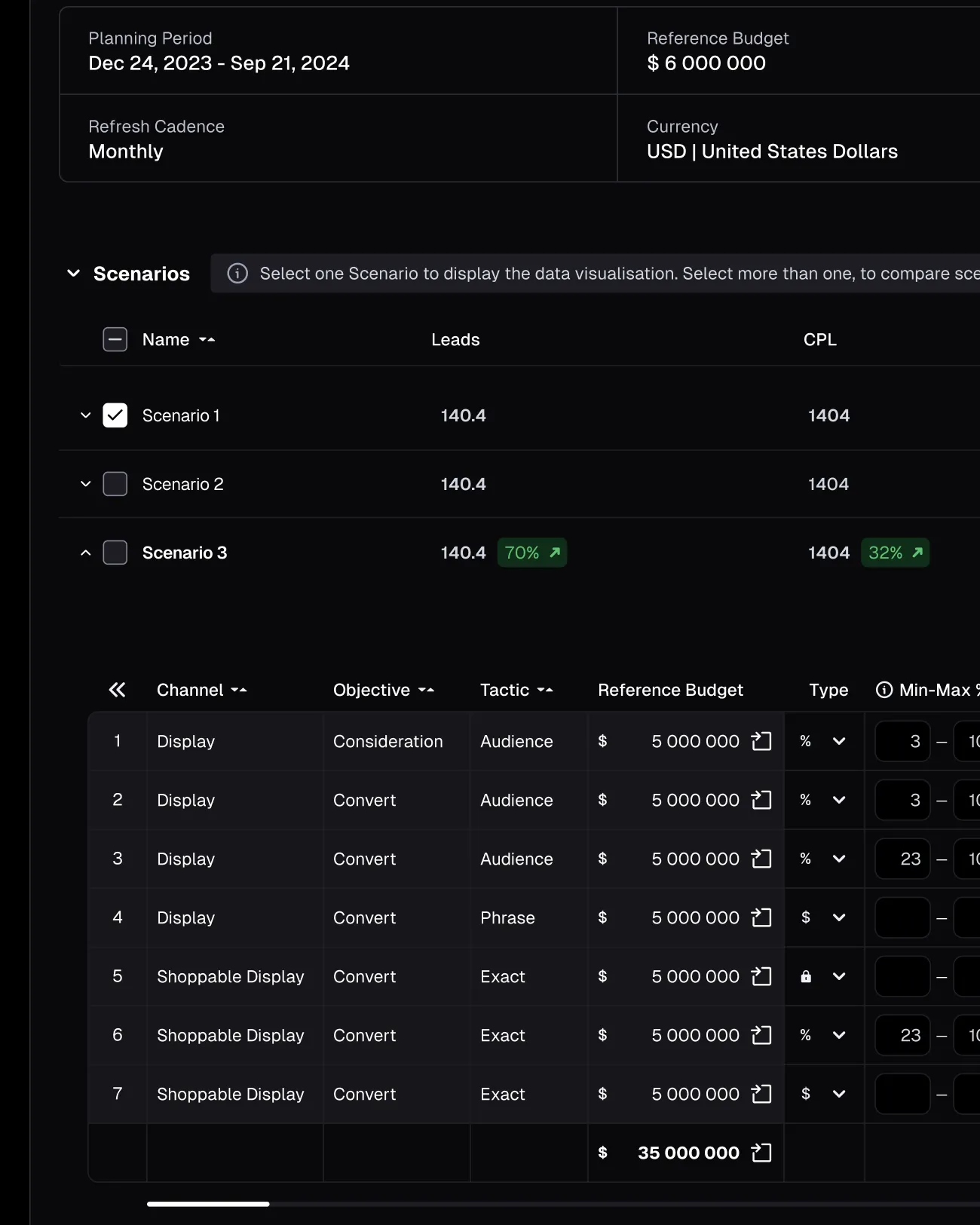
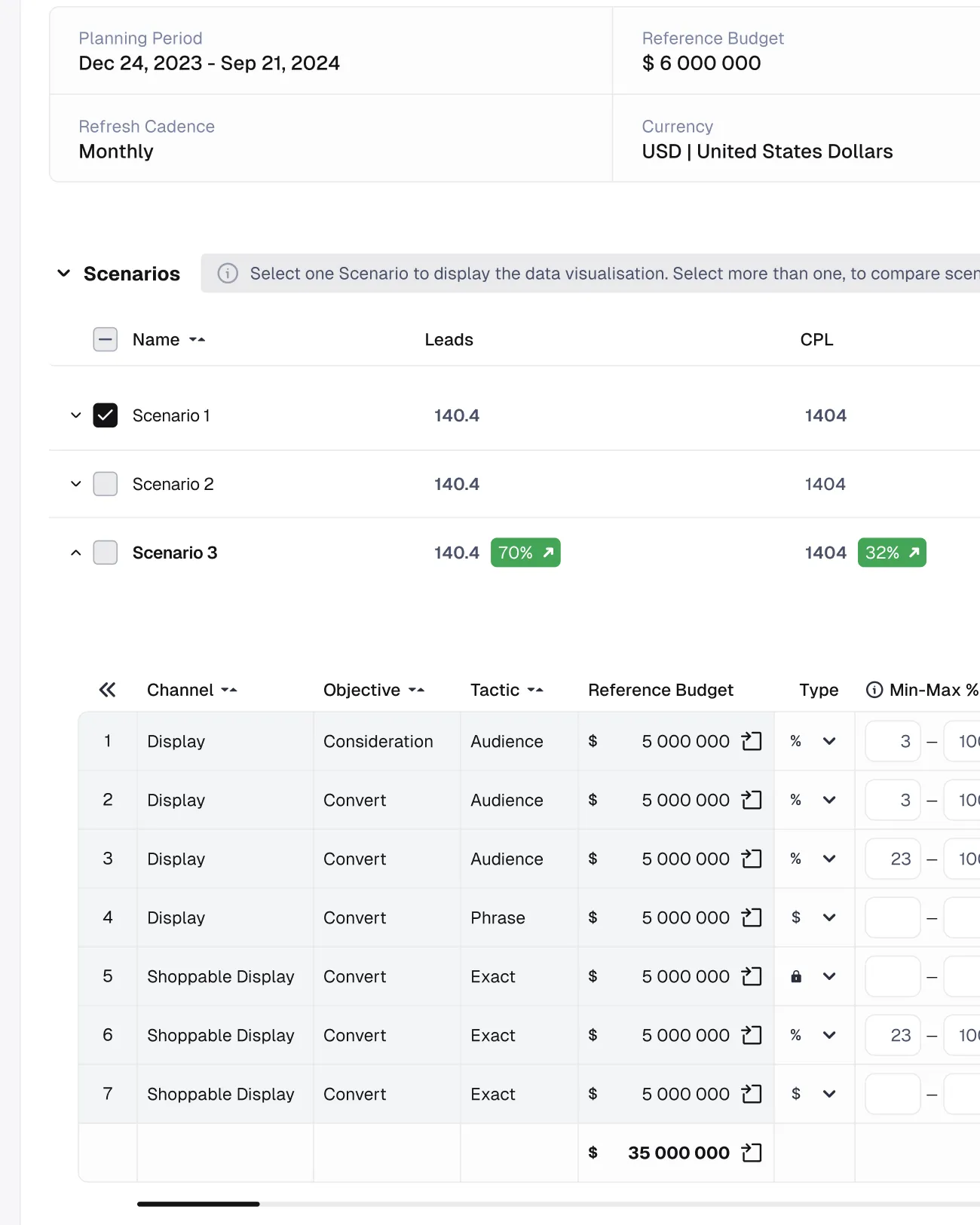
Interact brings media planning into one place. In the concept, Home greets you with an AI assistant and entry points to every console, grouped as Mine, Make and Manage. The Design Console lays out a planning path — Client Setup, Audience, Media Strategy, Plan Investment, Activate — next to activity and tasks, and the Budget Optimizer compares allocation scenarios for a plan.
02 — Challenge
One product instead of several tools
The modules have very different densities: a conversational Home, a step-based console and a data-heavy optimizer. The concept had to give them one navigation model, one set of components and one visual language, and work in a dark and a light theme driven by the same structure rather than two separate sets of screens.
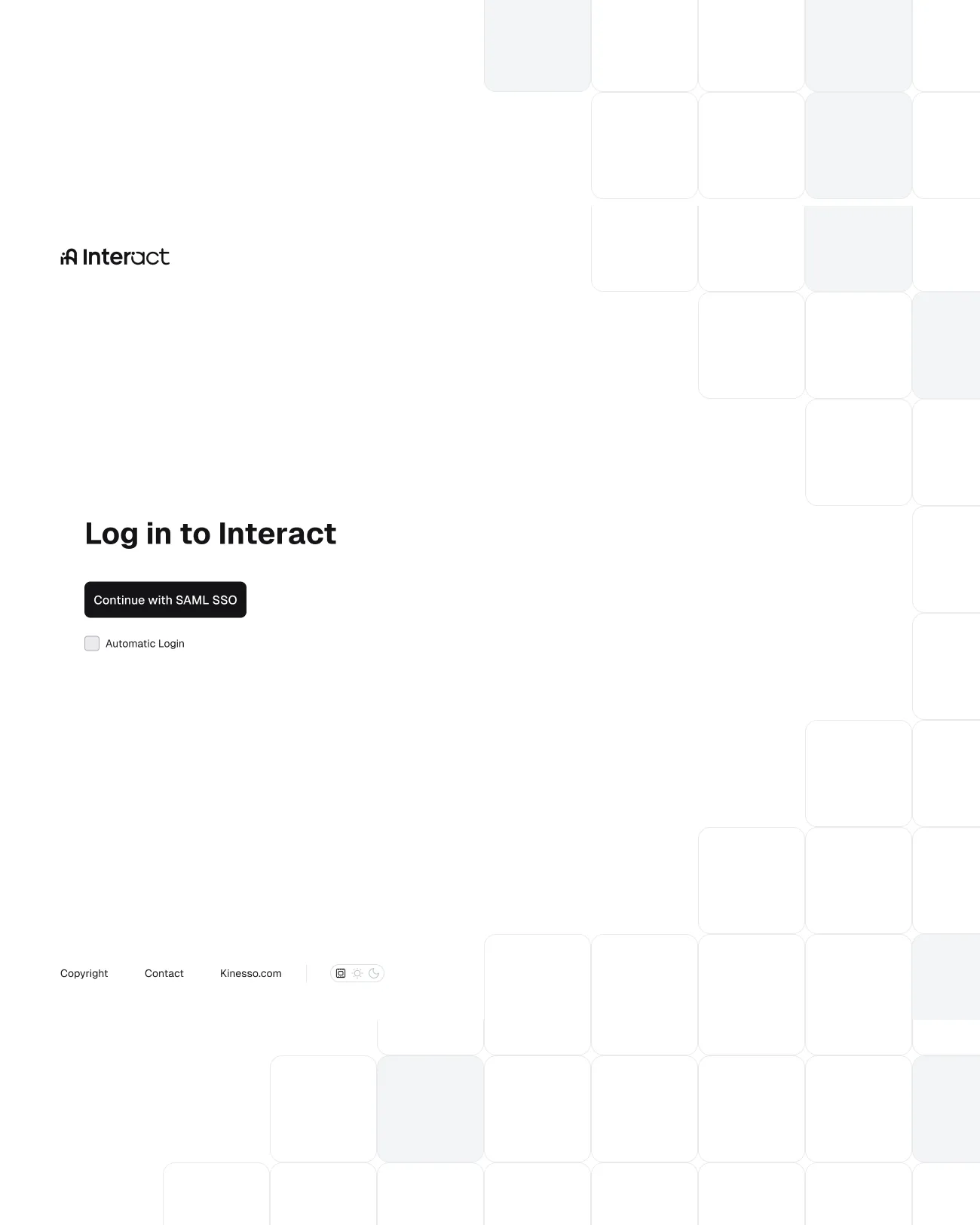
One navigation model, one component library, two complete themes.
03 — Approach
A grid you can see and feel
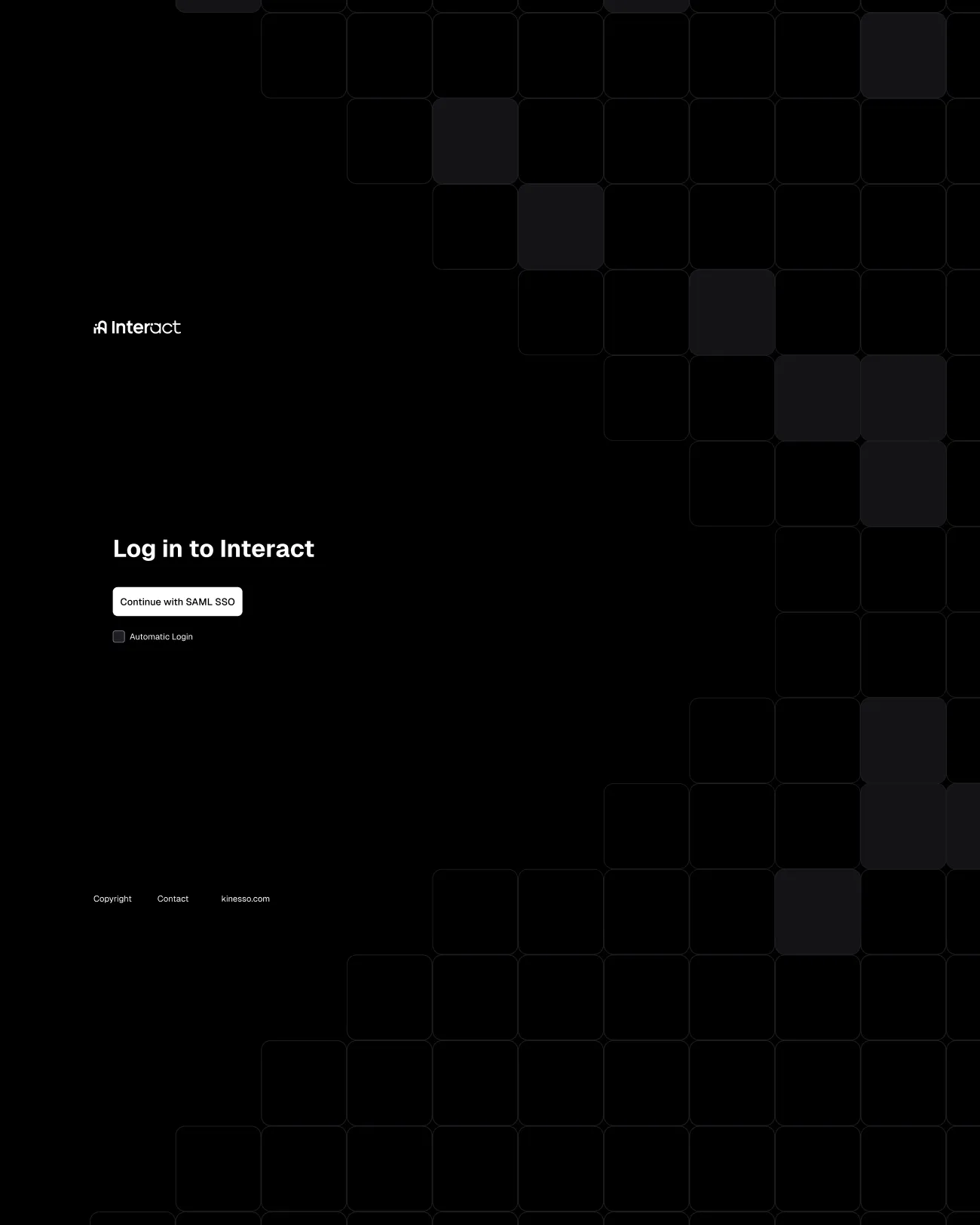
I called the direction Gridline. It rests on three principles: a monolithic structure inspired by cubes and grids, navigation that is always present but never intrusive, and high information density, so key data reads at a glance. The grid shows in the brand moments — the login is framed by a lattice of rounded tiles — and stays invisible everywhere else, in how cards, tables and menus line up.
04 — Deliverables
What I designed
- Screens
- Login, Home, Design Console, Budget Optimizer
- Navigation
- Main menu with search, breadcrumbs, client and market selectors
- Themes
- Dark and light, switched from the profile menu
- Type
- Geist
- Prototype
- Clickable flows: menus, breadcrumbs, theme switch
05 — Design system
Dark and light from one source
Every screen is built from shared components set in Geist, with colours defined as variables that switch mode from the theme control in the profile menu. I also sketched a phased path for introducing it — the new navigation first, then the core components, then aligning everything else — so the Budget Optimizer would share the same tables, badges and buttons as the Design Console.
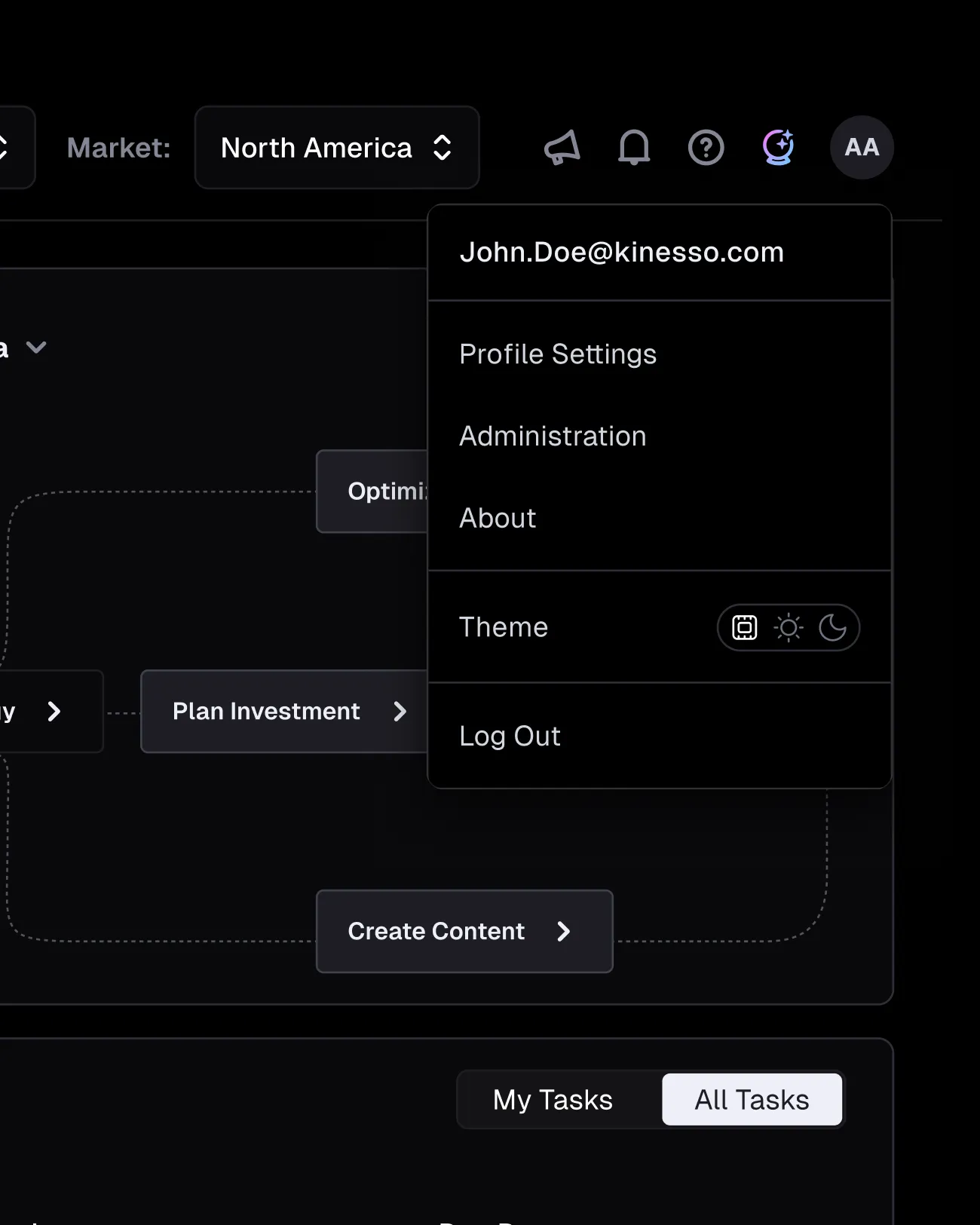
The menu groups every console by what you do with it: Mine, Make, Manage.
06 — Outcome
A concept for one product
The concept shows how separate modules could work as one product, with a single navigation model, a shared component library and two complete themes. A clickable prototype walks through the main journeys, from the login to an expanded budget scenario, to make the direction easy to review and discuss.